
Remote VScode executes from Local to AWS.Ec2
I want to develop in Local PC but execute in EC2 env. That allow me to user power compute . Using VScode server

Install Remote - SSH extension in VScode local
In Extension, search Remote - SSH (Ms) - install

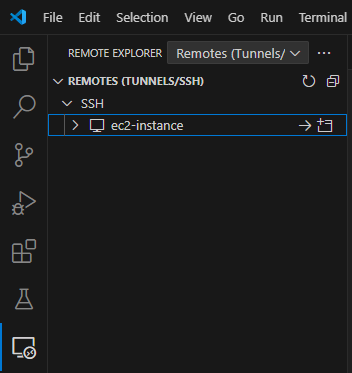
Choose Remote - SSH extension icon
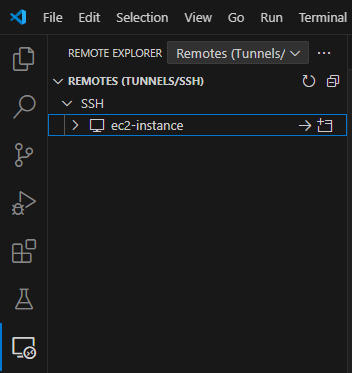
Hover mouse to SSH line > Click setting to config and choose your local config (ex: c:\users\{username}\.ssh\config)

Config file like below :
Host enter-remote-name
    HostName <Public-IP-or-DNS>
    User <ubuntu>
    IdentityFile /path/to/key.pem
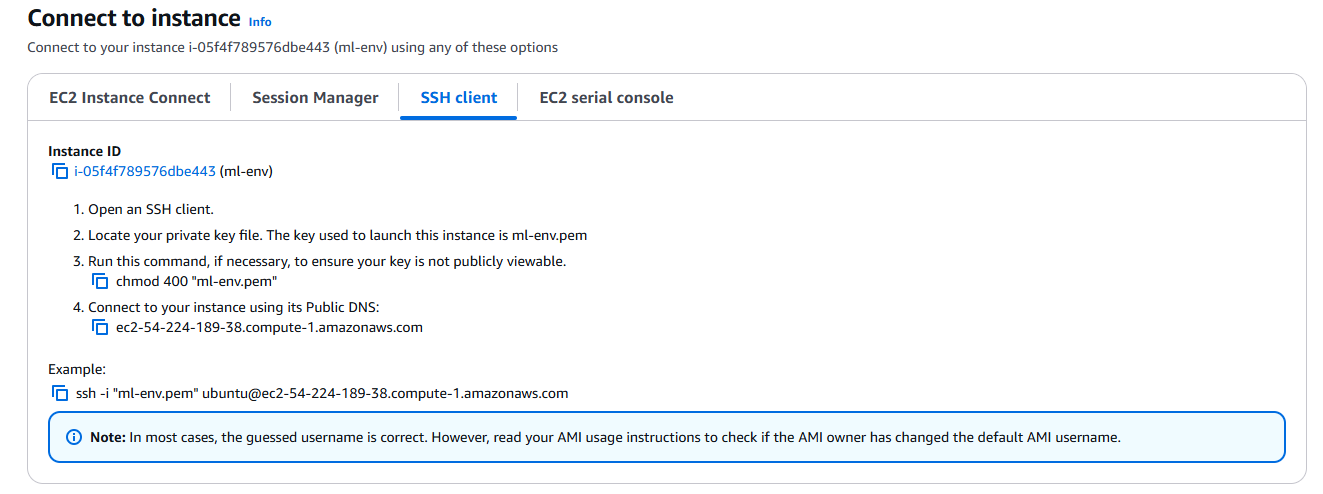
Hostname is Public DNS of EC2 instance, get from EC2 instantce detail with key “Public IPv4 DNS”
User you can connect SSH from AWS and use “whoami” to get user
IdentityFile define path to key.pem file. When create EC2 instance, in key pair section, you can create new one key pair and download private key to local to login with SSH
Note:
be careful with path, space between folder name, space in the end of line will cause error.
Should replace space in folder name, file name by “-”
Ex: C:/Users/dan/aws-env/ml-env.pem
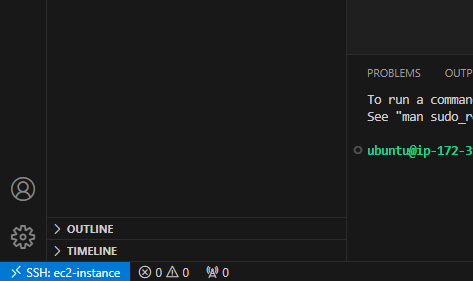
After save hover to connect click connect. VSCode will reload or open new one. Notice in left-hand bottom corner will display SSH status
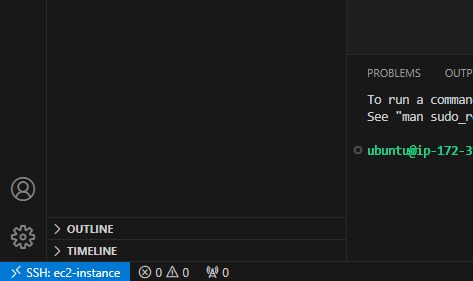
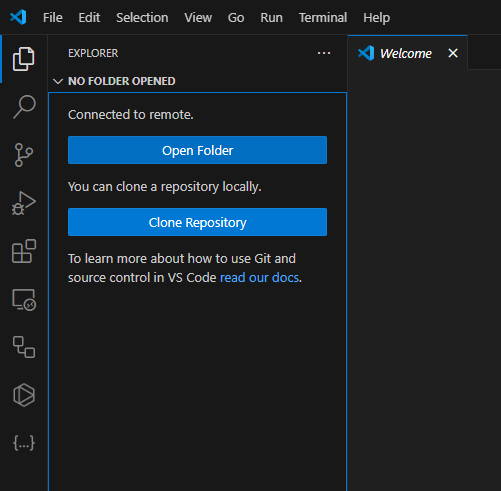
After connect success you can clone your repo in EC2 env or open existing source folder
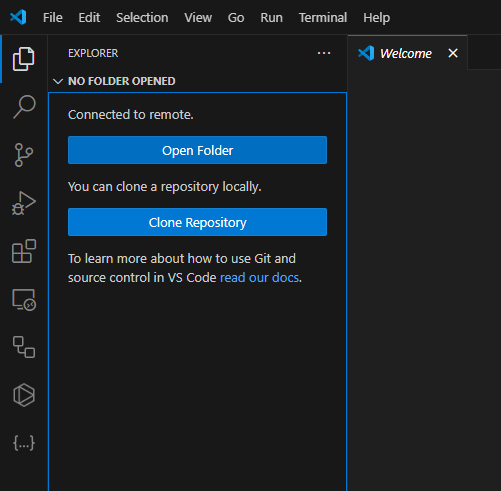
You can install again all extension because this is new env
Install Git in ec2 with other CLI :
Open Powershield (you can use other SSH)
run this to remote ssh (get from connect tab, SSH client)
ssh -i /path/to/your-key.pem ubuntu@your-ec2-public-ip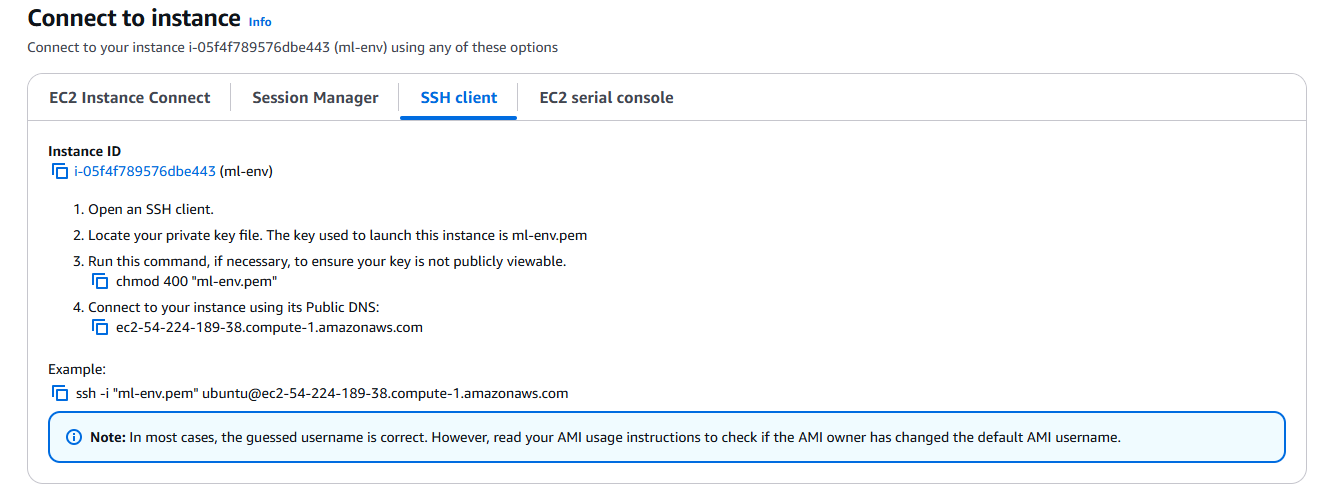
sudo apt update
sudo apt install git
git --version
config git commits infor
git config --global user.name "Your Name"
git config --global user.email "youremail@example.com"
Kiểm tra apt đã có python hay chưa:
apt list —upgradable
kiểm tra pip:
pip —version
Nếu chưa có thì chạy:
sudo apt install python3-pip
sudo apt install python3.xx-venv (xx là phiên bản của python hiện tại, nếu k đê có thể lỗi bị k tìm thấy ensurepip )
Hướng dẫn cài install python nếu chưa có
Ubuntu không cài sẵn Python 3.11, vì vậy bạn cần thêm kho lưu trữ chứa Python 3.11.
Bước 1: Cài đặt các công cụ cần thiết để thêm kho lưu trữ.
sudo apt install software-properties-commonBước 2: Thêm kho lưu trữ chứa phiên bản Python 3.11.
sudo add-apt-repository ppa:deadsnakes/ppaBước 3: Cập nhật lại danh sách gói.
sudo apt updateBước 4: Cài đặt Python 3.11.
sudo apt install python3.11- Bước 5: Cài đặt pip cho Python 3.11
Sau khi cài đặt Python 3.11, bạn sẽ cần cài đặt
pip, công cụ quản lý gói cho Python.sudo apt install python3.11-distutilswget https://bootstrap.pypa.io/get-pip.pypython3.11 get-pip.pyTest cài đặt pip
pip —version
nếu không được thì chạy :
sudo apt install python3-pip
sudo apt install python3.11-pip
Change python call name
sudo update-alternatives --install /usr/bin/python3 python3 /usr/bin/python3.11 1
sudo update-alternatives --config python3
Config SSH
Setup code env in EC2 env
python3 -m venv “env-name”
source env-name/Scripts/activate
pip install -r requirement.txt


Error:
ModuleNotFoundError: No module named 'apt_pkg'xảy ra khi hệ thống không thể tìm thấy module
apt_pkgmà các công cụ như APT hoặc các script liên quan đến quản lý gói trong Ubuntu yêu cầu để thực thi.apt_pkglà một module của Python được cung cấp bởi góipython-apt, và nó thường được sử dụng trong các công cụ quản lý gói của hệ thống (ví dụ, APT).cd /usr/lib/python3/dist-packages sudo cp apt_pkg.cpython-312-x86_64-linux-gnu.so apt_pkg.soThư mục dist-package chứa các module của Python được cài đặt thông qua các gói hệ thống hoặc qua
apt(không phải quapip)Sao chép file thư viện tên
apt_pkg.cpython-312-x86_64-linux-gnu.sotheem 1 bản nữa với tênapt_pkg.so ở tại cùng thư mục. Điều này giúp các lời gọi tìm kiếm được apt_pkg